Building dynamic Word templates for Power Automate is powerful. But writing the syntax manually can quickly become frustrating.
If you use the Encodian Flowr Word – Populate action, you already know what’s possible: structured data, conditional logic, calculations, and repeating tables inside Word documents.
But constructing syntax by hand is fragile… A missing bracket. A misplaced formatter. A malformed loop.
That’s why we built Encodian Templater.
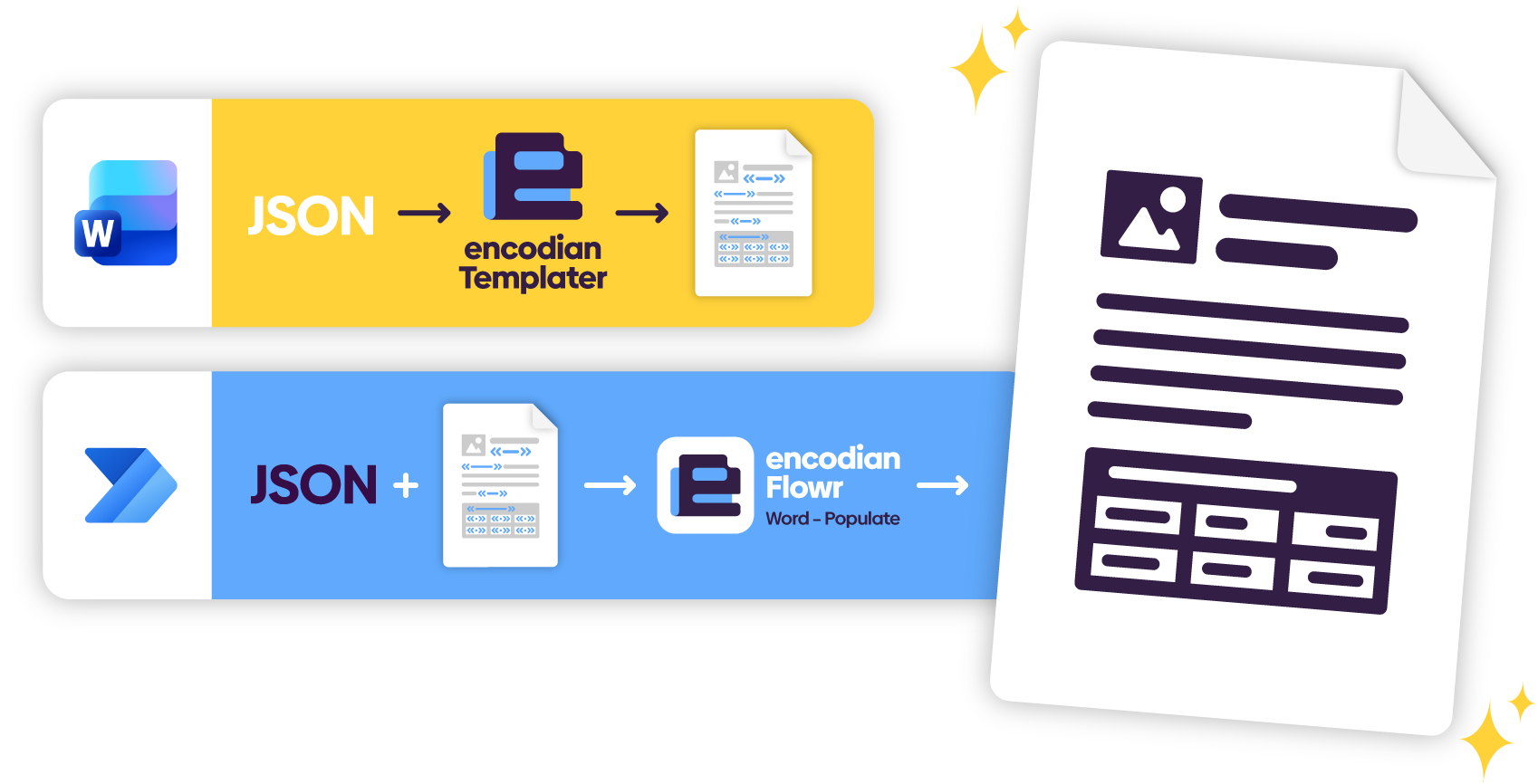
Encodian Templater is a Microsoft Word add-in designed specifically to simplify building templates for the Word – Populate action.
It runs directly inside Microsoft Word and allows you to generate correctly structured Word – Populate expressions using a guided interface instead of typing raw syntax manually.
Templater does not replace Word – Populate. It makes building templates for it significantly easier.
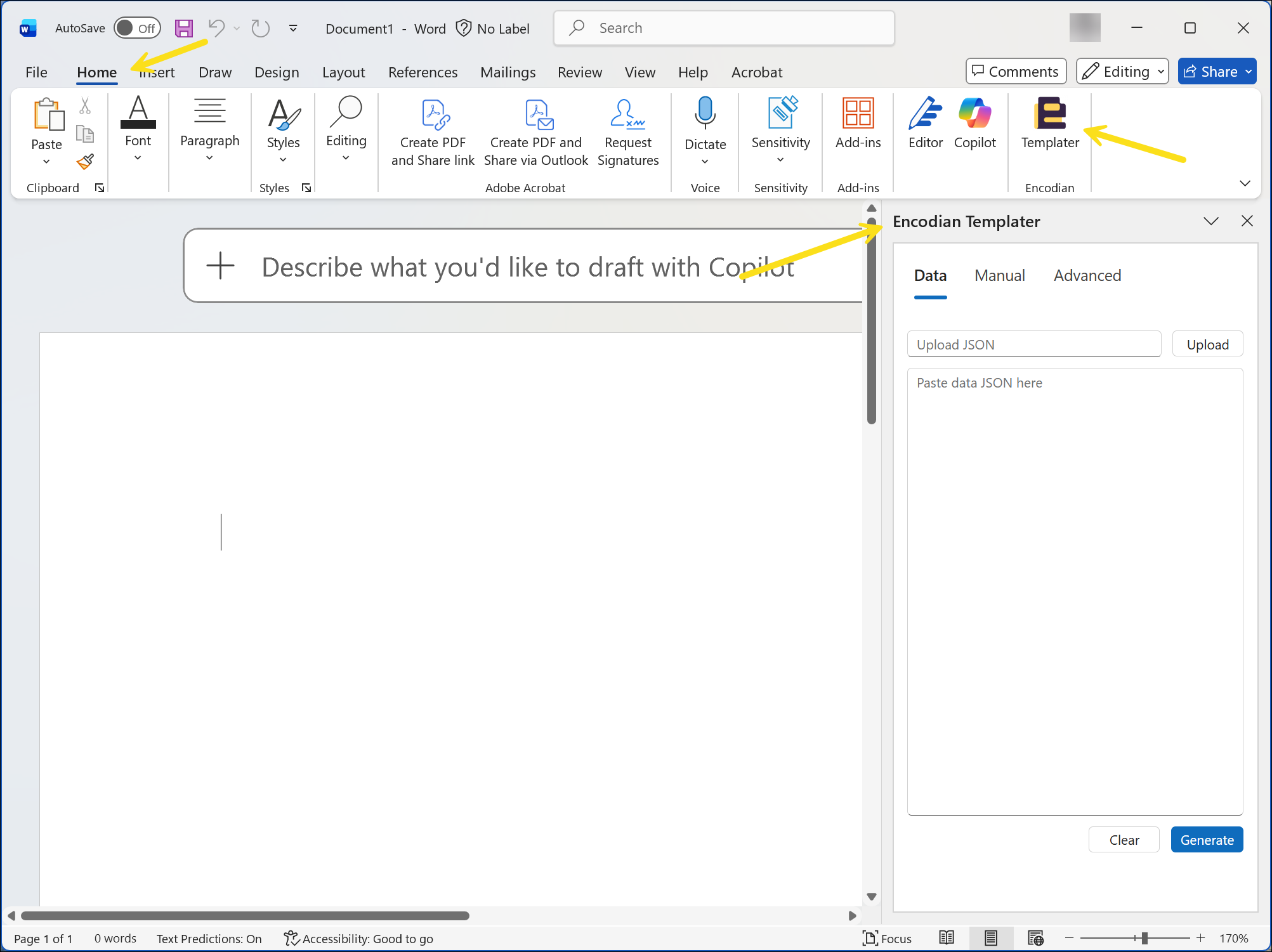
Templater enables a template-first workflow.
Instead of building a flow and debugging template syntax afterwards, you can design your Word template directly inside Microsoft Word.
A typical workflow:
Templater generates syntactically valid Word – Populate expressions inside the document. The Word – Populate action then injects runtime data during the flow execution.
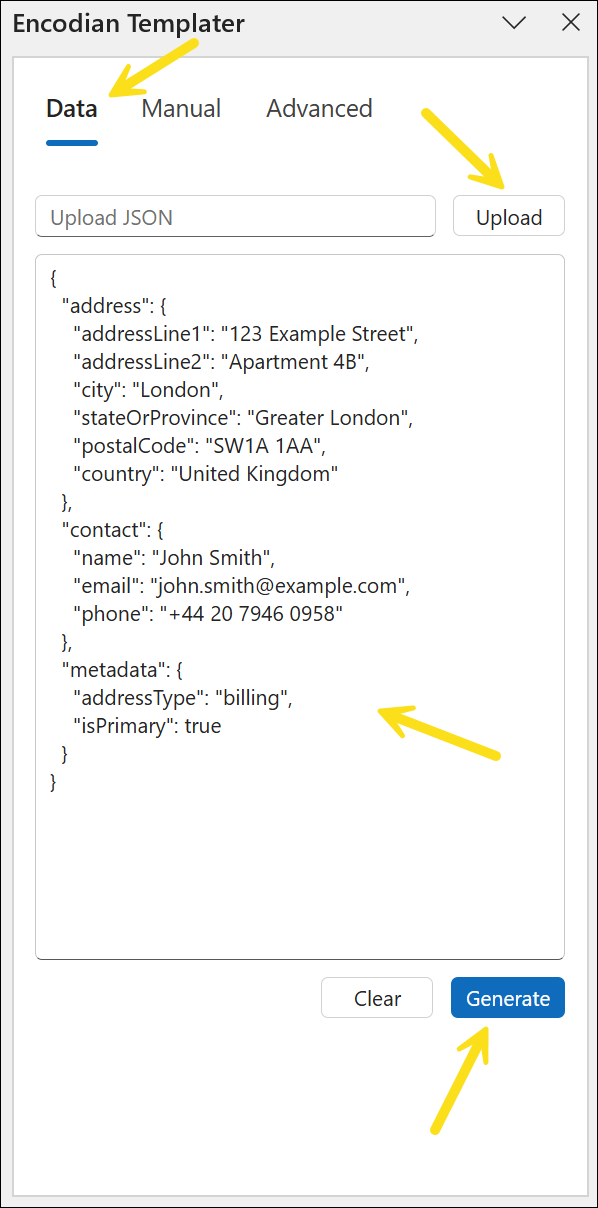
Encodian Templater provides three core capabilities for template development:
Upload representative JSON and Templater will:
Instead of manually constructing expressions, you select and insert them.
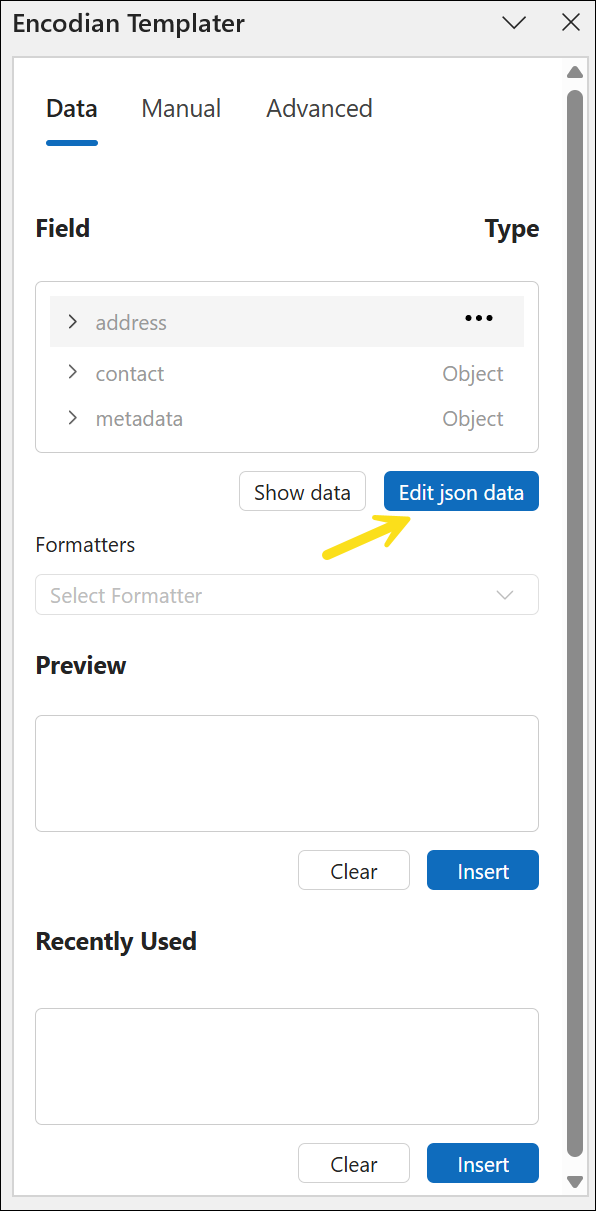
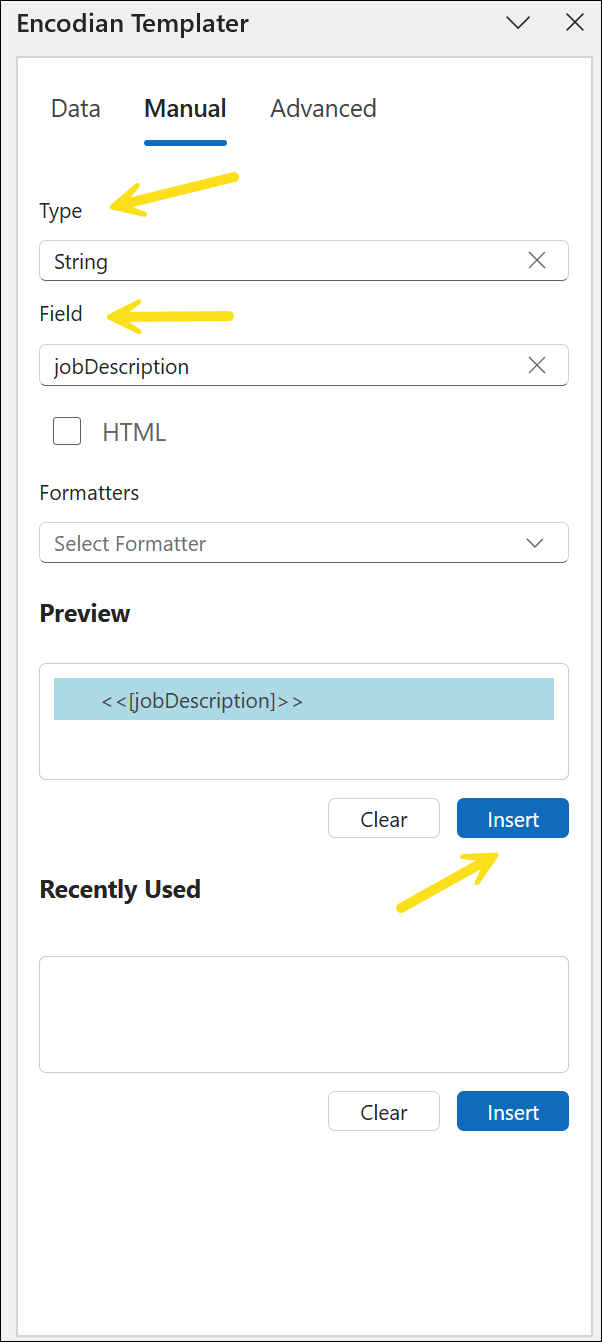
You can also create fields manually.
Specify the field name, choose the data type, and insert the generated tag into your document.
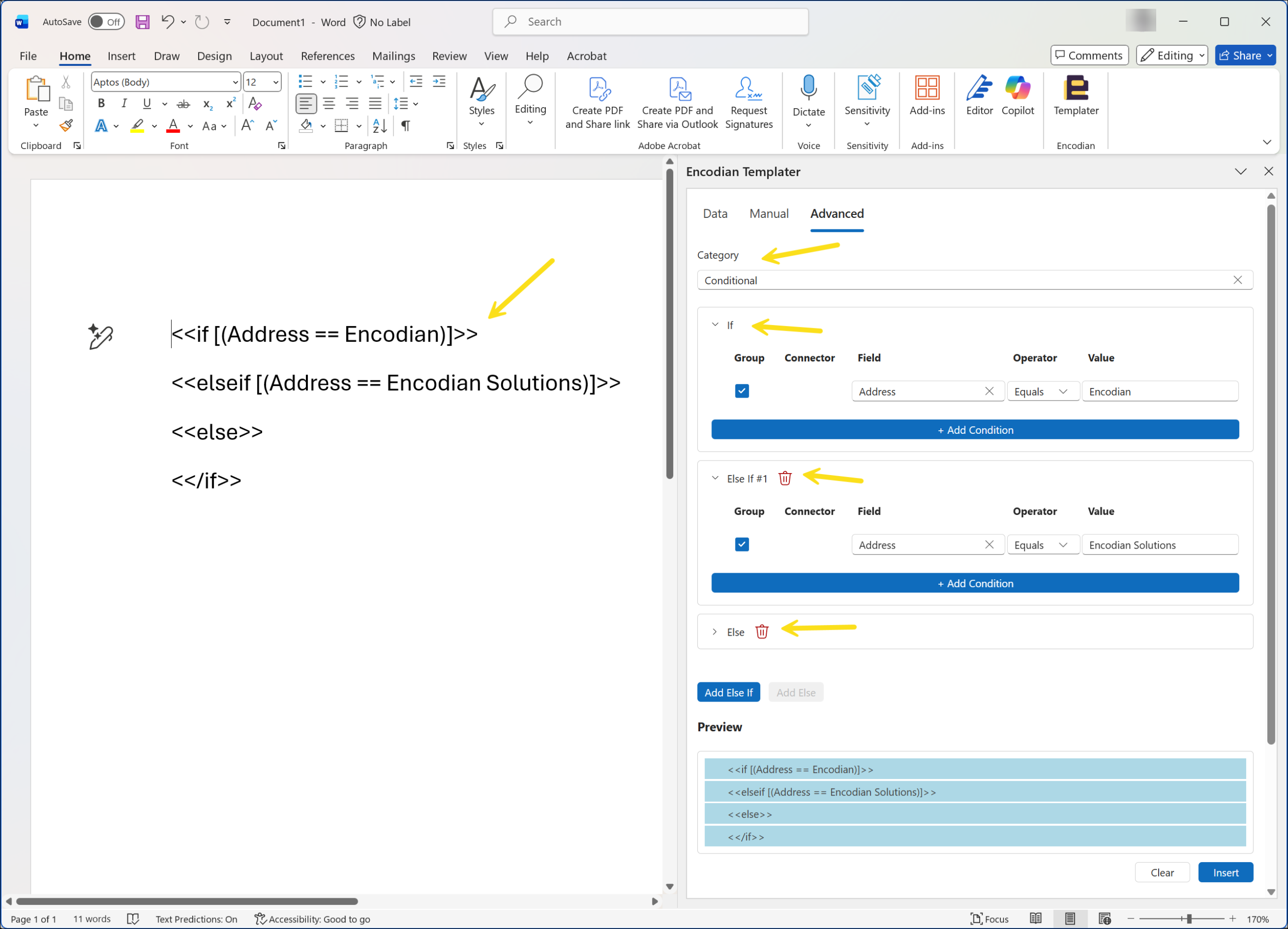
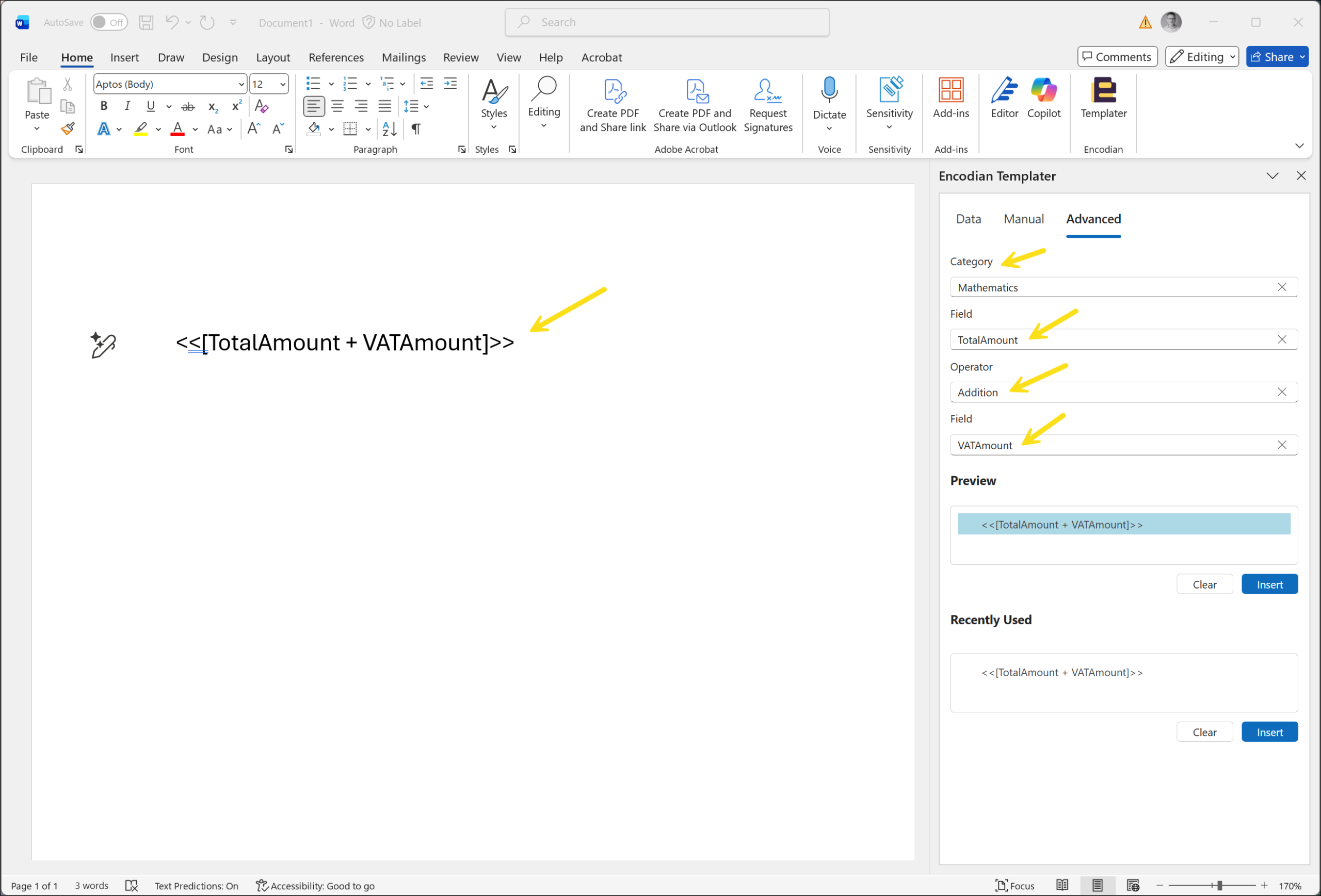
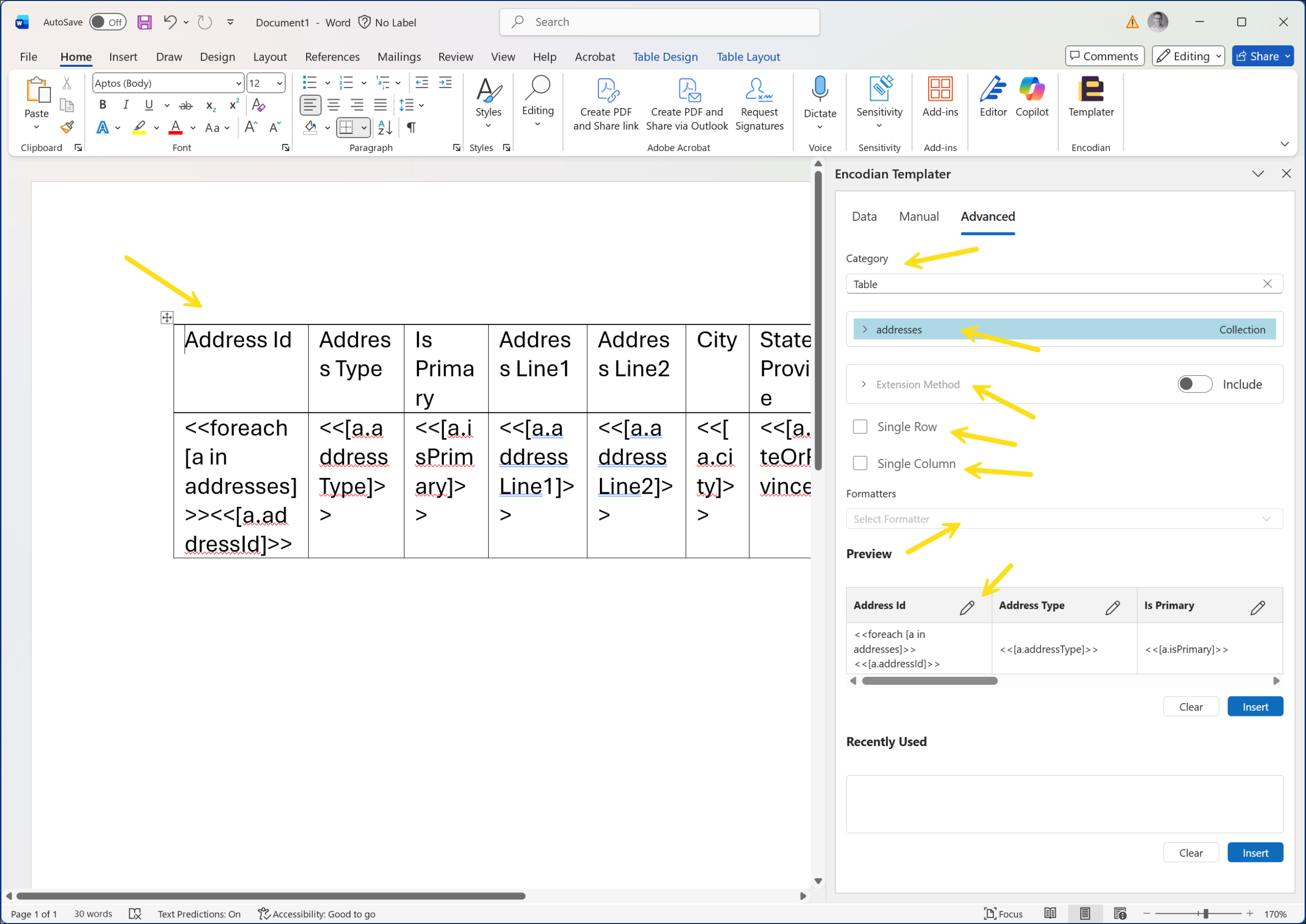
Complex templates often require conditional blocks, arithmetic calculations, and repeating tables.
Templater provides guided builders for:
The result is correctly structured syntax without manually typing nested expressions.
When building Word – Populate templates manually, small syntax mistakes can cause templates to fail or behave unexpectedly. Debugging these issues often required inspecting expressions, nested logic and collection structures inside Word documents.
Encodian Templater reduces that friction by generating the required syntax visually inside Microsoft Word. Instead of manually writing expressions, builders can insert structured tags, construct conditional logic, and generate table loops using a guided interface.
For teams building automated document workflows, this helps standardise template creation and reduces the time spent debugging template syntax.
Encodian Templater supports many document automation scenarios built with the Word – Populate action, including:
For organisations using Word – Populate to generate documents programmatically, Templater simplifies how those templates are built.
Encodian Templater is built specifically for use with the Encodian Flowr Word – Populate action.
It is designed to simplify basic to mid-level Word – Populate template development by reducing manual syntax effort and improving consistency.
For full technical documentation and current feature limitations, see the support documentation.
If you are building Word – Populate templates in Power Automate, Encodian Templater removes much of the manual syntax overhead.
Install the add-in, and start generating templates visually inside Microsoft Word.

CEO