Generating Word documents automatically is a common requirement for many businesses.
Whether you’re generating contracts from structured data, producing automated reports, creating invoices from order data or producing personalised documents at scale, the Encodian Flowr Word – Populate action enables Power Automate to generate Word documents dynamically using structured JSON data.
However, creating the Word templates required for this action can be challenging. The template syntax supports conditional logic, calculations, and repeating collections, but writing those expressions manually inside Word can be error-prone.
Encodian Templater was created to simplify this process.
Templater is a Microsoft Word add-in that generates Word – Populate template syntax visually using representative JSON data.
Instead of writing placeholder expressions manually, you can generate them directly inside Microsoft Word.
When generating Word documents from Power Automate, the process typically involves three components:
During execution, the action reads the placeholders inside the Word document and replaces them with values from the supplied JSON payload.
More advanced templates can include:
This allows Power Automate to produce fully formatted Word documents dynamically.
Although the Word – Populate action is powerful, writing the required template syntax manually can be difficult.
Templates often include expressions such as:
Small syntax mistakes can break document generation or produce incorrect results.
For teams building document automation workflows, maintaining these templates can become time-consuming. Encodian Templater was designed to reduce this complexity.
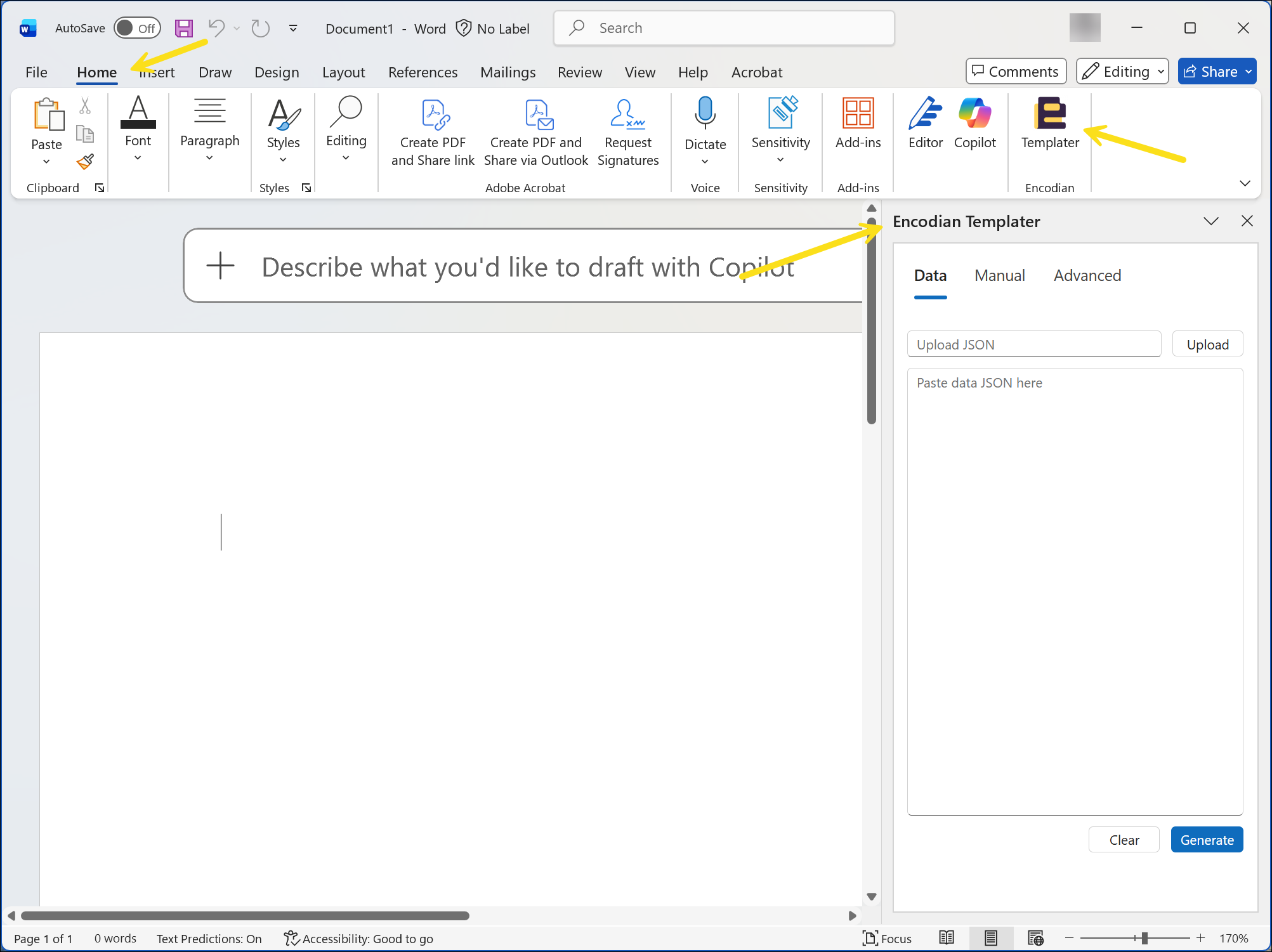
Encodian Templater is a Microsoft Word add-in designed specifically to simplify building templates used by the Word – Populate action.
It runs directly inside Microsoft Word and allows template expressions to be generated visually rather than written manually.
By uploading representative JSON data, Templater can generate the correct syntax for placeholders, conditional logic, and collection loops. This makes template development significantly faster and reduces the risk of syntax errors.
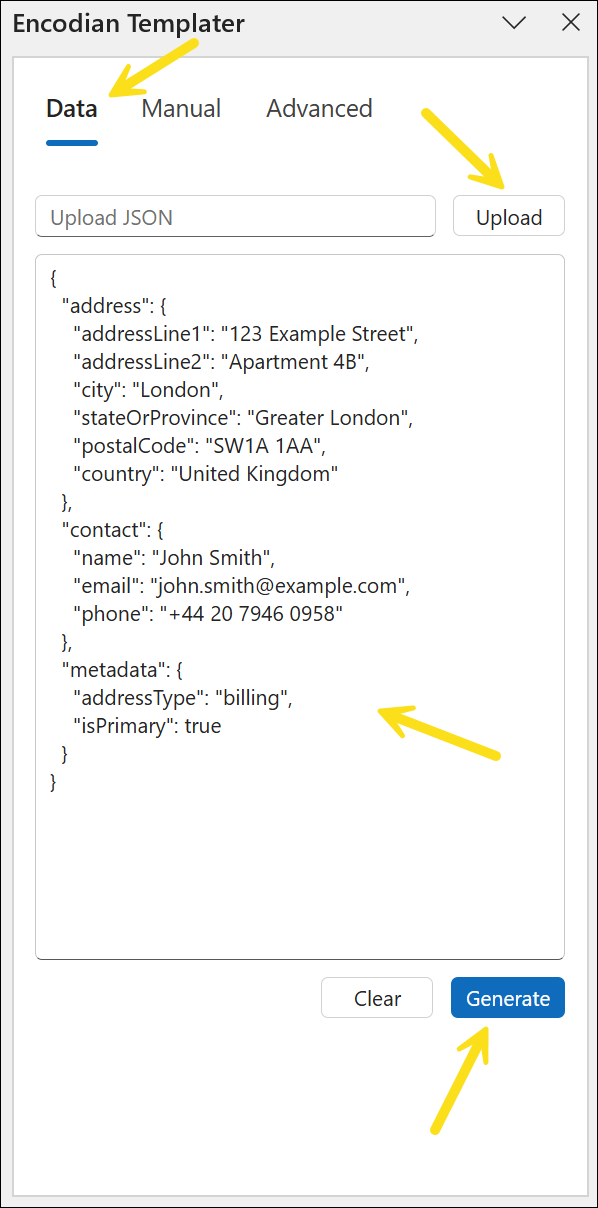
Encodian Templater generates placeholders based on representative JSON data.
This JSON should reflect the structure that will be passed to the Word – Populate action during flow execution.
To generate placeholders:
Templater analyses the JSON structure and displays available fields in a hierarchical view.
Selecting a field generates the corresponding Word – Populate expression, which can then be inserted into the document. This approach ensures field names match the runtime data structure.
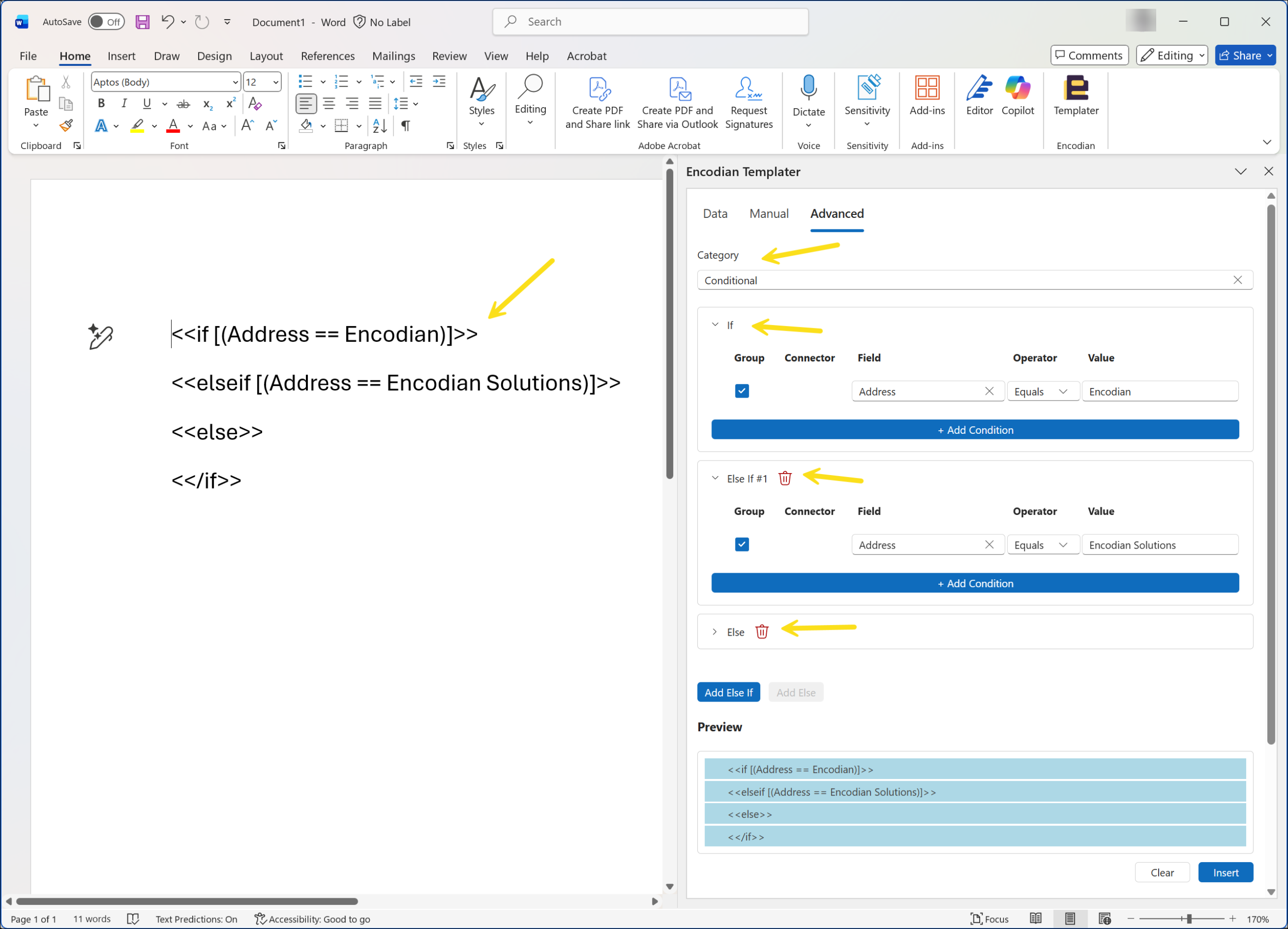
Document generation workflows often require conditional behaviour.
For example:
The Advanced tab in Encodian Templater allows conditional expressions to be generated visually.
Supported constructs include:
Templater generates the appropriate syntax automatically.
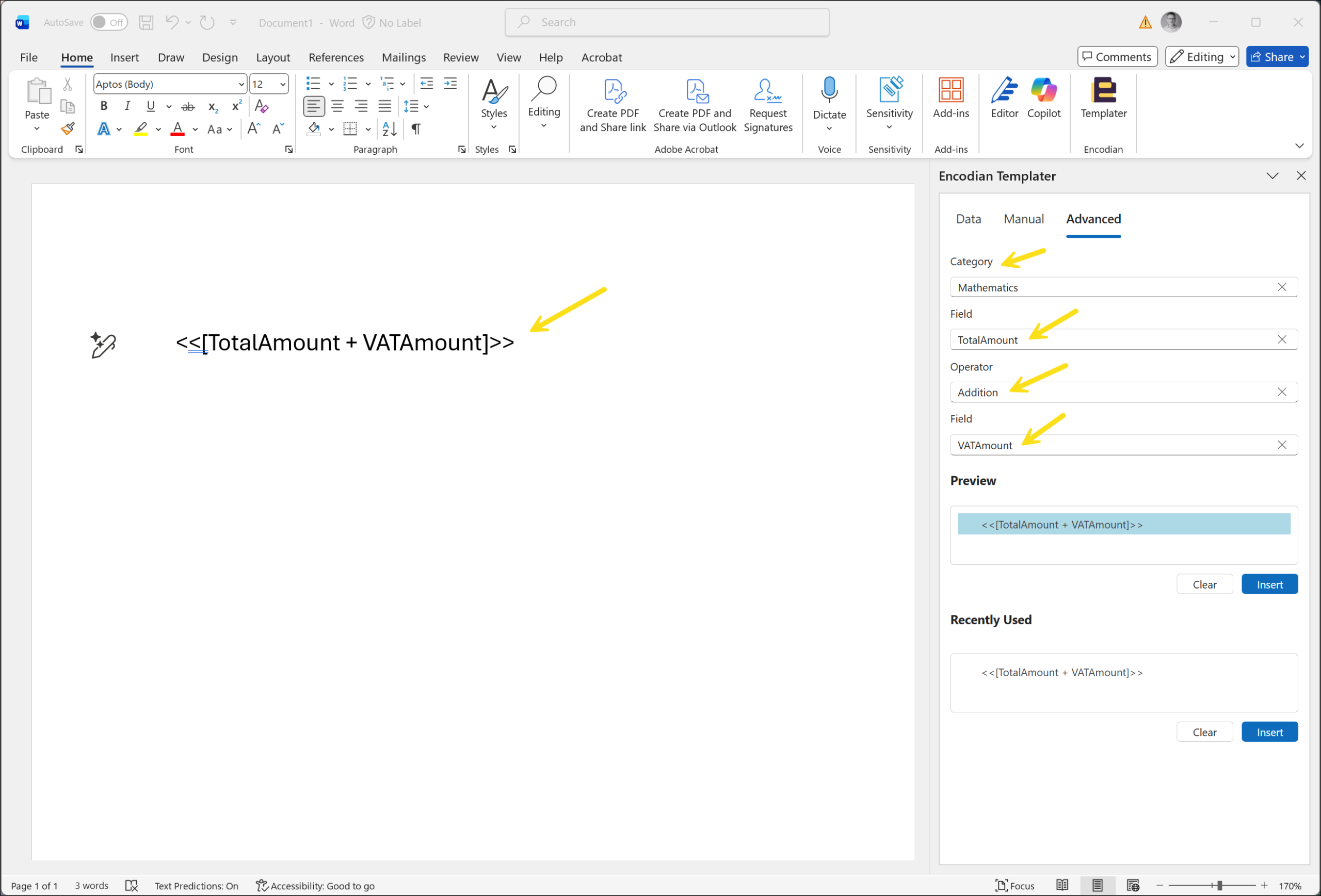
Templates can also include arithmetic calculations. This is useful for scenarios such as:
Encodian Templater supports addition, subtraction, multiplication, and division operations. The generated expressions can be inserted directly into the Word document.
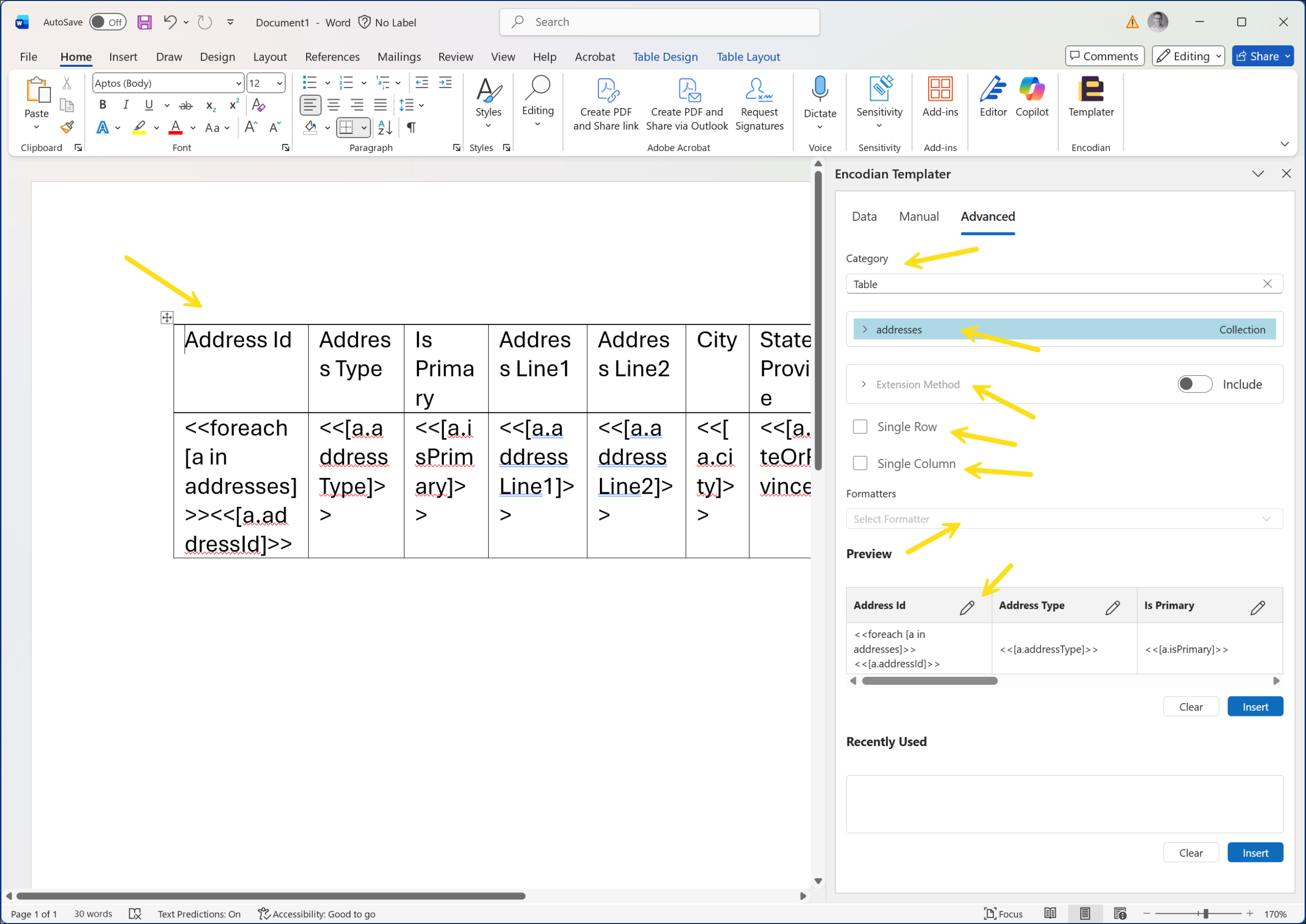
Many Power Automate workflows involve generating repeating rows of data. Examples include:
Templater can generate the required loop syntax automatically.
By selecting a collection in the JSON structure, Templater creates the appropriate loop expressions and inserts them into the Word template.
This reduces the likelihood of malformed loop structures.
Once the Word template is complete:
The action merges the supplied data with the placeholders inside the template to produce the final document.
If field names do not match the JSON structure or unsupported expressions are used, the action will return an error during execution, unless you choose the Allow missing members option in the Word – Populate action configuration.
Encodian Templater simplifies template creation but some limitations currently apply. These include restrictions around nested collections and certain extension methods.
A full list of current limitations is available in the support documentation.
Encodian Templater is particularly useful when:
For teams building document automation workflows, this can significantly simplify template development.

CEO