If you’re ready to upgrade from the Free plan, you can purchase an Encodian subscription directly through the Account Portal in just a few minutes. The portal supports both monthly and annual subscriptions, with payment by credit or debit card.
Open the Encodian Account Portal →
Sign in using your Encodian account credentials.
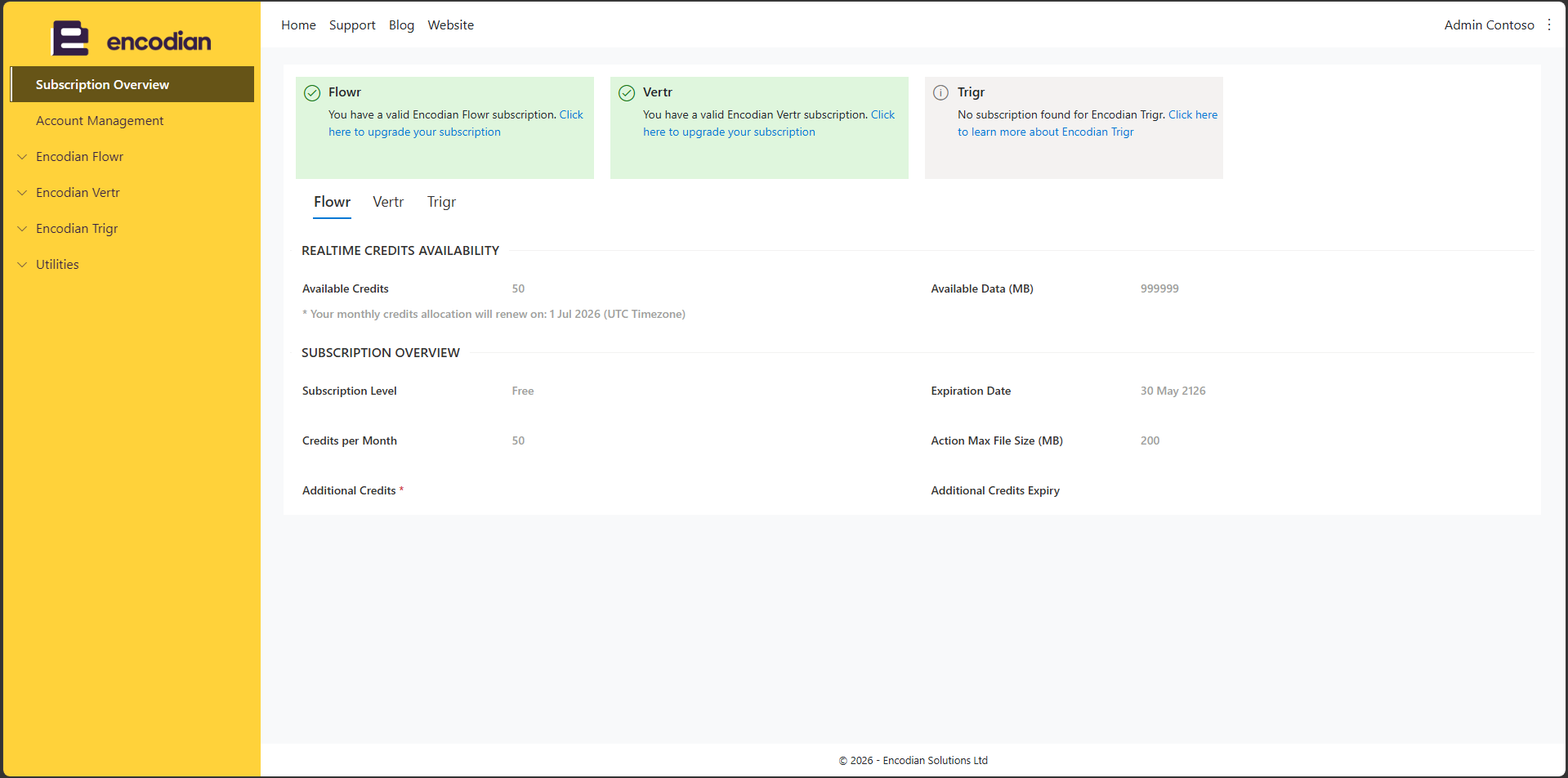
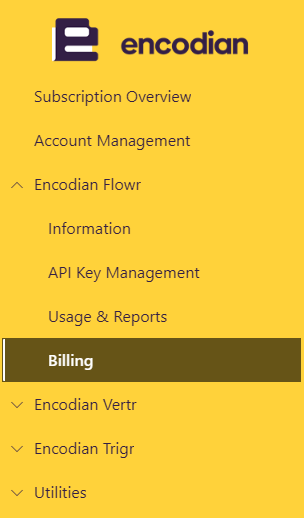
From the left-hand navigation menu, choose which product you’d like to purchase a subscription for and use the dropdown:
Encodian Flowr → Billing
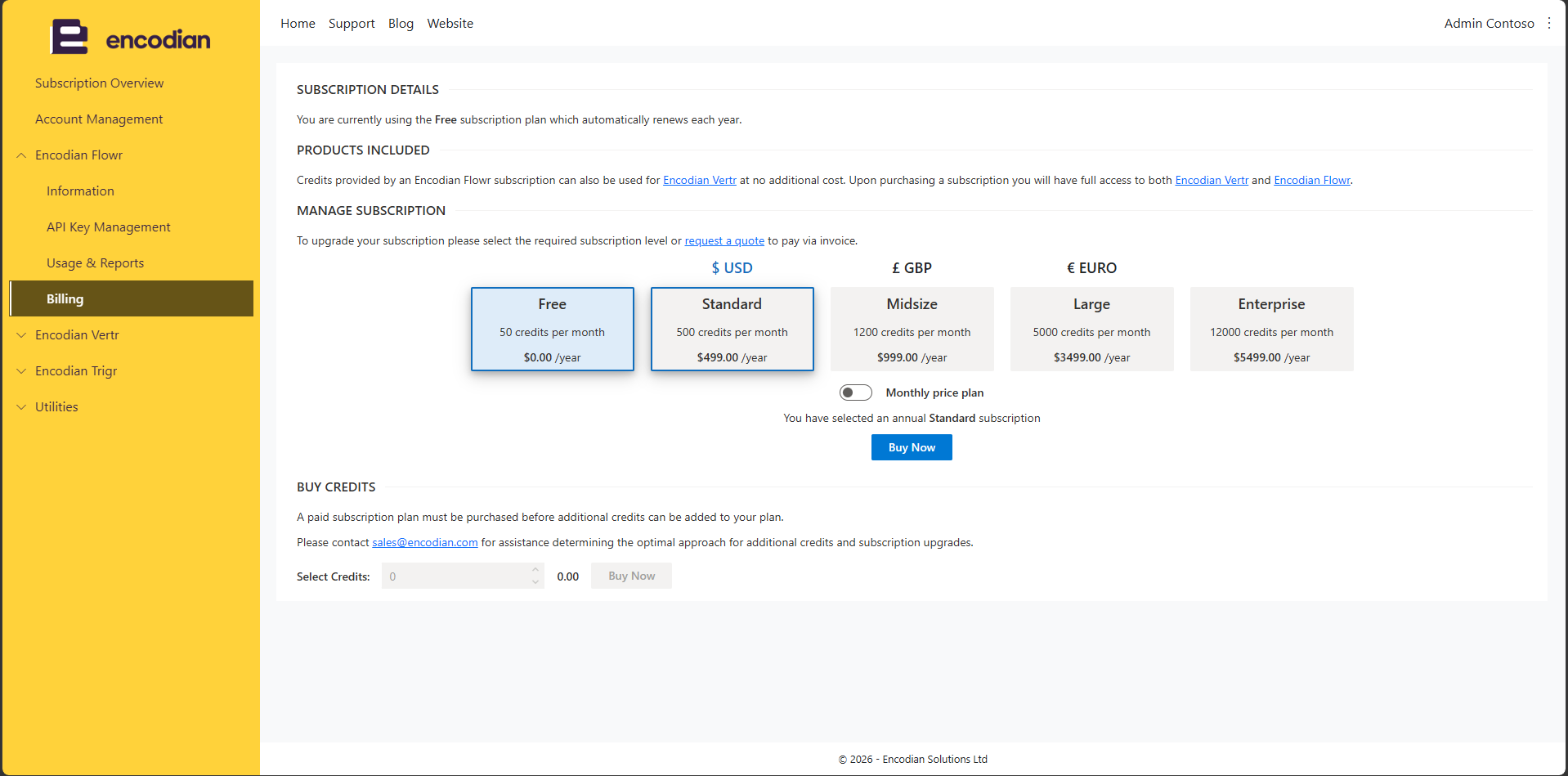
The Billing page displays your current subscription and available subscription plans.
Under Manage Subscription, select the subscription tier that best matches your requirements.
You can:
Once you’ve selected a subscription, click Buy Now.
A secure checkout window will open where you can:
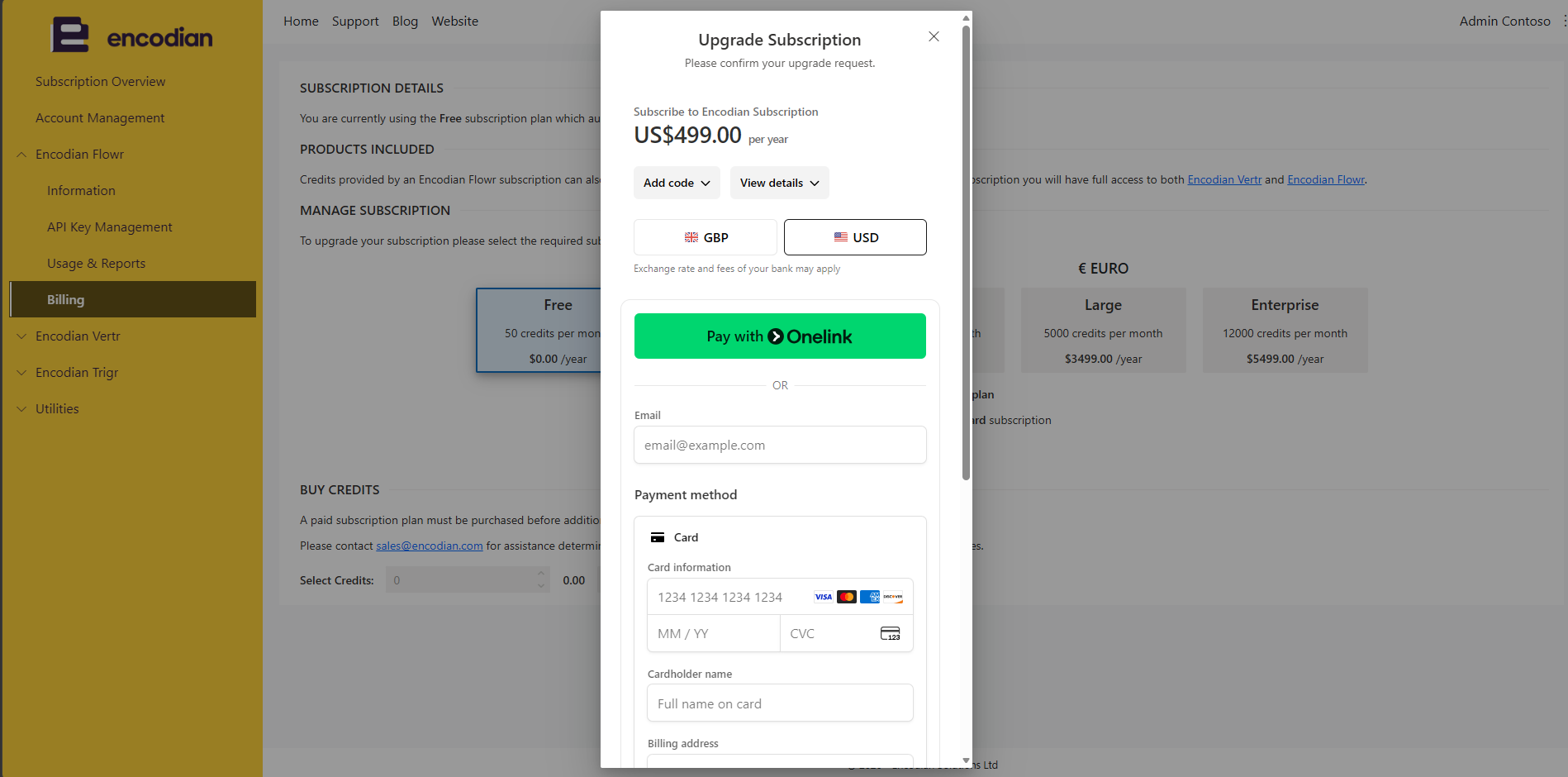
Enter your payment information and complete the checkout process.
After payment is successfully processed, your subscription will be activated automatically and your account will immediately reflect the new subscription level.
If your organization requires a quote, purchase order, or invoice process, contact sales@encodian.com →
Encodian can provide formal quotations and support invoice-based purchasing for annual subscriptions.
The entire process takes only a few minutes:
Your subscription will be available immediately after checkout.
For more information, visit Purchasing or Upgrading an Encodian Subscription →
Content Marketing Manager