Encodian Trigr is a manually initiated Power Automate trigger that enables users to run standardised flows directly from SharePoint across multiple sites, lists, and libraries.
Encodian Trigr is designed for developers and IT teams managing automation across large SharePoint estates, where the same flow needs to be reused consistently across many locations.
Native Power Automate triggers require separate flows per location. Trigr allows one manually triggered flow to be deployed across SharePoint, reducing duplication and maintenance.
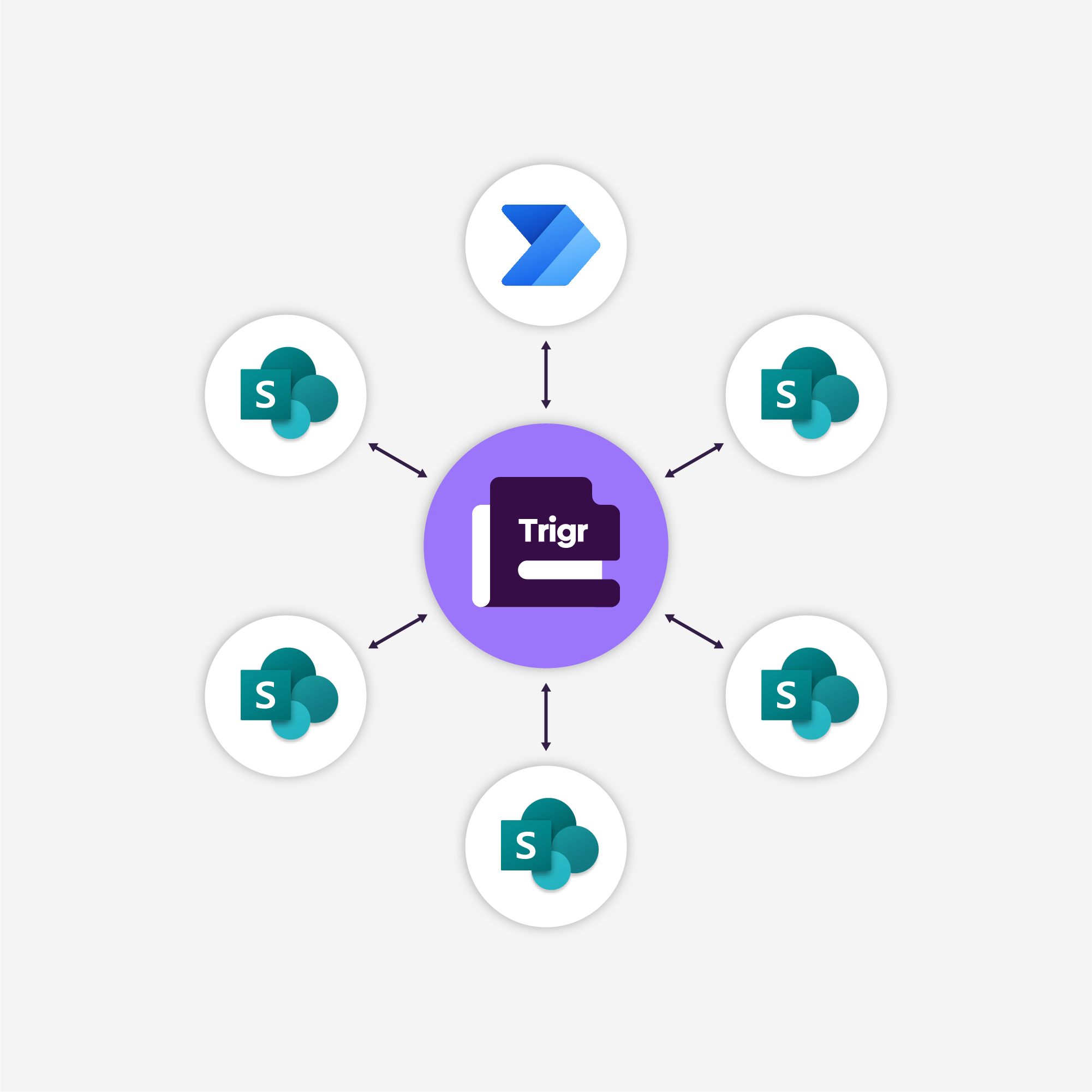
Encodian Trigr is a Power Automate trigger that allows a single flow to be manually triggered from SharePoint across multiple sites, lists, and libraries. Users select files or list items and run the same flow directly from the Actions menu, without duplicating flows per site, library, or list.
Trigger consistent Power Automate workflows directly from SharePoint without duplicate flows per location
Allow users to select one or more documents or list items in SharePoint and manually trigger the same Power Automate flow from the Actions menu.
Configure where flows are available using the Encodian admin portal, choosing whether they appear on lists, libraries, or both across selected SharePoint sites.
Optionally prompt users for additional information using dynamic forms, capturing structured input that can be passed into the flow.
Manage who can trigger flows using SharePoint Groups or Azure AD Groups, and deploy flows automatically to sites using naming conventions or regex-based selection.
Encodian Trigr uses a central admin portal to configure and deploy Power Automate flows across SharePoint. End users then manually trigger those flows directly from SharePoint by selecting items and choosing a flow from the Actions menu.
This approach enables controlled, reusable automation across complex SharePoint environments without duplicated flows.
Encodian Trigr is priced to support automation growth without flow sprawl or duplicated triggers.
● Eliminate the need to duplicate flows for each SharePoint location
● Reduce long-term maintenance and governance overhead
● Predictable pricing aligned to automation usage
Free |
Most Popular Tier 1$1,199 / year |
Tier 2$3,599 / year |
Tier 3$5,999 / year |
Tier 4$9,799 / year |
CustomTBC / year |
|
|---|---|---|---|---|---|---|
Free |
Most Popular Tier 1£999 / year |
Tier 2£2,999 / year |
Tier 3£4,999 / year |
Tier 4£7,999 / year |
CustomTBC / year |
|
Free |
Most Popular Tier 1€1,099 / year |
Tier 2€3,299 / year |
Tier 3€5,499 / year |
Tier 4€8,799 / year |
CustomTBC / year |
|
Active ActionsQuantity of Active Trigr Flows |
2 | 5 | 20 | 35 | 60 | 60+ |
TriggersPer month |
50 | 1,000 | 10,000 | 30,000 | 50,000 | 50,000+ |
Data CentreAll options are Microsoft Data Centres |
Our Choice | Our Choice | Our Choice | Our Choice | Your Choice | Your Choice |
If you’re unsure how many triggers you’ll need or if your organisation has specific requirements, we’re here to help!
Contact our Sales Team, and we’ll help you find the best plan for your needs.
Simplify your automations with Encodian Trigr.
After your trial ends, you’ll automatically move to the Free tier unless you choose to upgrade.
No. Encodian Trigr and Encodian Flowr are separate products with separate licensing.
Trigr can be used with any Power Automate flows, including flows that do not use Encodian connector actions. While Trigr and Flowr work seamlessly together, you do not need one in order to use the other.
An Active Action represents a Power Automate flow deployed using Encodian Trigr.
Each deployed flow counts as one Active Action. If the same flow is deployed multiple times using different Trigr configurations, each deployment counts separately.
Your plan determines how many Active Actions you can deploy.
When you first sign up, you start with a 30-day free trial on Tier 2, which allows:
After the trial ends, your account automatically moves to the Free plan, which allows:
The Free plan is permanently available but designed for light usage.
At the end of your 30-day trial, your account moves to the Free plan unless you upgrade.
If your usage exceeds the Free plan limits, Active Actions may be disabled until usage is reduced or your subscription is upgraded.
Trigger allowances reset on the 1st day of each month, regardless of when your trial or subscription started.
Yes. Additional triggers can be purchased through the Encodian Account Portal or by contacting sales@encodian.com.
Additional triggers are purchased in blocks of 5,000 and are added to a shared annual pool that your account can draw from during high-usage periods.
Encodian Trigr subscriptions have a minimum 12-month term.
You cannot cancel or downgrade during the term, but you can upgrade at any time. Upgrades are charged on a pro-rata basis for the remaining term.
Data privacy and security are core priorities at Encodian.
For full details on how data is processed and protected, see:
Data Security and Data Privacy documentation →
Tier 4 and Custom plans allow you to select from the following regions:
🇺🇸 USA
🇬🇧 UK
🇩🇪 Germany
🇨🇭 Switzerland
🇦🇺 Australia
🇨🇦 Canada
Yes. If you prefer not to pay through the Encodian Account Portal, you can request invoiced billing by contacting sales@encodian.com.
Our Sales Desk supports payment by:
Learn more: Purchasing an Encodian Subscription →
Possibly. Encodian has worked with partners to build Trigr-based solutions designed to integrate into SharePoint-based products.
If you’d like to discuss a tailored or embedded use case, contact sales@encodian.com.
No. Encodian products are designed for business and professional use only.
Trials and subscriptions must be registered using a business or organisational email address.
All of our documentation is on our support site.
Blogs to help you learn more about automating SharePoint and Trigr.
Are you an MVP or a consultant? Why not take a look at partnering with us?
Suggest features, read announcements and request support.
Encodian Trigr simplifies how Power Automate flows are triggered across multiple SharePoint locations.
For advanced document automation, including document generation, transformation, and AI-driven actions, Encodian Trigr works seamlessly with Encodian Flowr.
Together, Trigr and Flowr enable end-to-end document automation, from triggering workflows to processing and transforming documents at scale, without duplicated flows or fragmented logic.
Flowr

Automate and generate documents.